
Roadside assistance: how to request help through Prolog App
 Luiz Felipe 2 min read
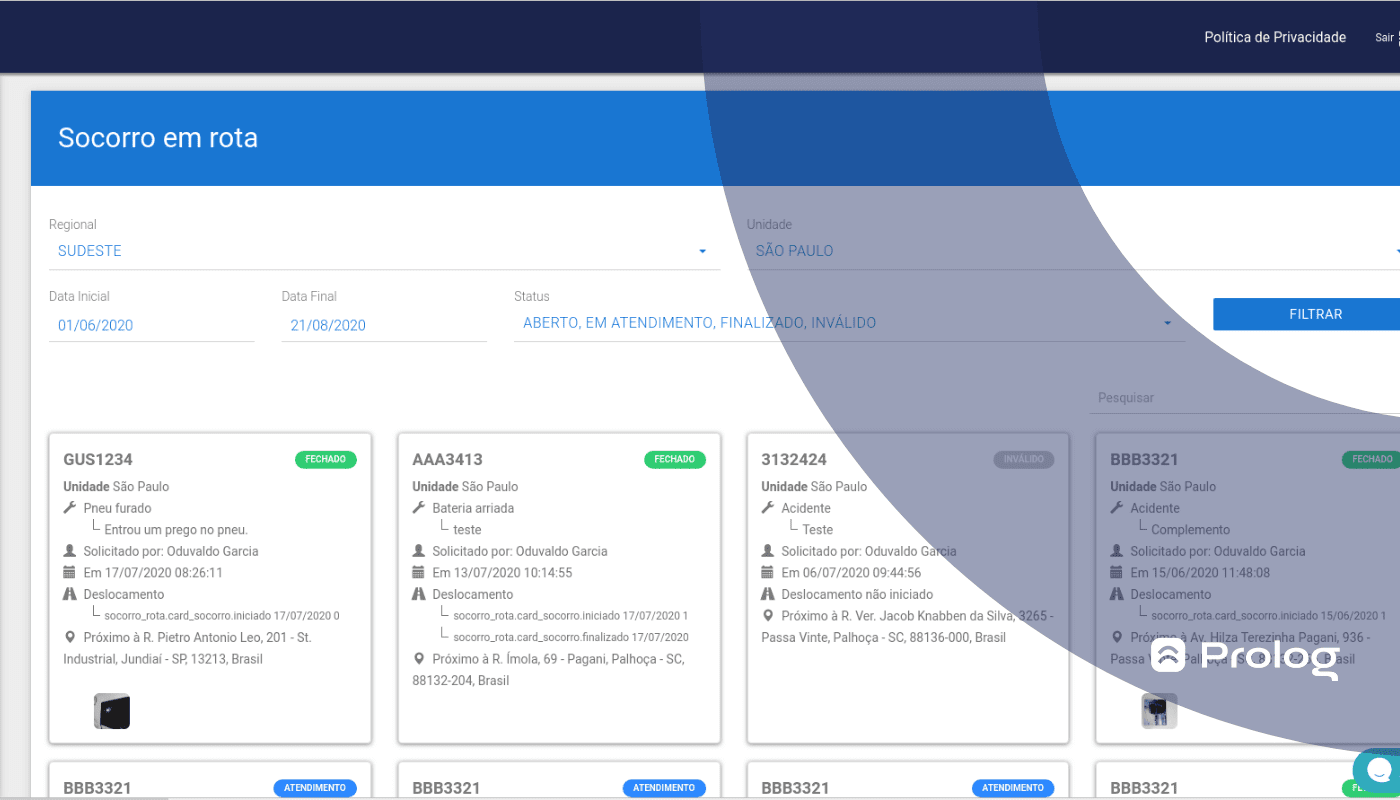
Prolog's solutions have several features to support the management of fleets, tires, preventive maintenance and electronic checklists. Roadside assistance is one of them.
You have probably had to deal with drivers getting in touch because they faced some unexpected, emergency situation on a trip. Flat tires are a good example of this.
Although it is not something that happens every day, it does happen. So, what did you do to deal with the problem? What was recorded, and what solution was found? How do you use this to prepare for next time?
See how roadside assistance can help solve this problem.
What is “roadside assistance”?
The roadside assistance feature is a tool in Prolog's vehicle management system in which users can request assistance on the road during a trip.
Unlike many other fleet management systems, Prolog designed this feature for unexpected events that need to be recorded and handled quickly.
What is it for?
Assistance cases can be issues such as a flat tire, a dead battery or a broken headlight, among others. Basically, the feature allows the driver to receive assistance as quickly as possible and the manager to investigate the possible causes of the issue.
For example, if the issue was the battery, the manager can check the checklist history for that license plate and analyze whether the inspection was up to date, whether the vehicle was released to travel or what may have happened, such as the possibility that the driver left the vehicle with the headlights on during their lunch break.
Roadside assistance makes it easier to find causes and solutions and also saves a database of assistance cases for future reference.
How does roadside assistance work?
It is simple: just open the Prolog app and make an assistance request, explaining what the issue was. The system shows the details of the request, such as the issue, the employee, the date and the time.
In fact, it is possible to register roadside assistance options in advance through the web system. That way, when the driver opens a request, they simply select the issue that occurred.
How does this feature help the fleet?
On the driver's side, it helps solve a problem quickly and conveniently. For the manager, it can help in several ways. To begin with, we have already mentioned the collection and analysis of vehicle inspection and maintenance data.
Then there is also the view of frequent incidents in a given truck model. This makes it easier to identify a vehicle that may need to be replaced with a newer one.
The frequency of incidents can also be identified per driver. If a particular driver always has the same issue, regardless of the vehicle they drive, something needs to be discussed with them.
Only by using our solution in your fleet routine will you truly understand all the benefits. So book your demo now!
Frequently asked questions
What is Prolog's roadside assistance?
How does a roadside assistance request work?
What types of issues does roadside assistance cover?
How does roadside assistance help the fleet manager?
Why record roadside assistance cases?
// newsletter
Fleet management content, straight to your inbox
Articles on tires, maintenance and fleet operations. No spam.
Read also
 Prolog


Prolog at SXSW 2026: founders visited Austin
Jean Zart and Luiz Felipe attended SXSW 2026 in Austin to find AI and technology signals applicable to fleet management in Brazil.
Prolog at SXSW 2026
Where the technology that will change your fleet management comes from.
 Jade Zart
 Prolog