
Tire control spreadsheet: what it needs to include
 Luiz Felipe 5 min read
Do you have any idea where to start and how to create a tire control spreadsheet?
Putting your own vehicles at risk seems absurd, but it is common in fleets. This happens because many companies still do not have an established tire management routine.
The need for a control method therefore grows.
A spreadsheet is an effective way to manage tires and can be adapted to your specific needs. You can find several excellent templates online, as long as you make sure they have the features your fleet needs.
On the other hand, creating a tire control spreadsheet from scratch lets you add anything specific to your fleet operations. This includes fields for storage temperature, tire age, rim size and type, and much more.
The most important part of creating a tire control spreadsheet is ensuring the figures are accurate. A small error can lead to major problems in the future, especially when pressure, wear and relocations are recorded without clear criteria.
How do you build a tire control spreadsheet?
To start your spreadsheet, you need to gather some initial information, such as what you need to control, the number of tires in the fleet and a list of vehicles in operation.
You will also need tire sizes and specifications, as well as age and inflation pressure.
Once you have this information, you have the basis to properly start your spreadsheet. The idea is for each column to help answer an operational question: which tire is on which vehicle, when it was inspected, what pressure was recorded, what its wear was like and what service was performed.
How should you organize the spreadsheet?
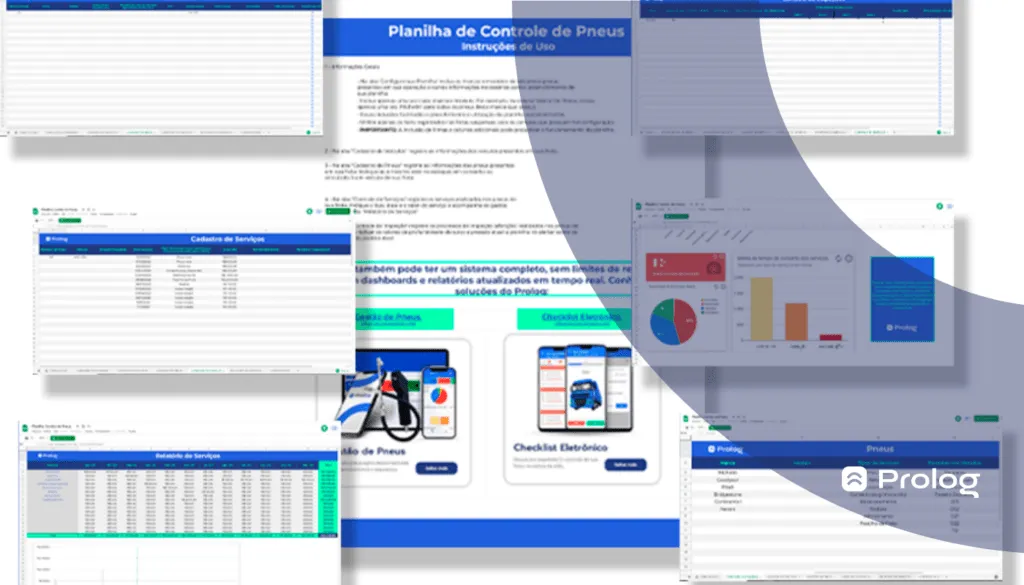
The spreadsheet should be organized to be easy to read and understand. To make creating your tire control spreadsheet even easier, here is a suggestion for what to list in each tab:
- All fleet vehicles with their license plates.
- Each tire's make, model and size.
- Tire inspection control (pressure + tread depth, relocations performed, inspection date, expected replacement date, etc.).
- Tire relocation (where each fleet tire currently is).
- Service control (list all services and the amount spent per month on each).
You can also control each tire's actual and desired temperature, if applicable. Also, cost per kilometer and the number of retreads per tire and/or vehicle. It is worth analyzing what is really necessary for your transport operations.
It is also worth separating fields for the four points that usually appear in ongoing tire maintenance: pressure, tread, rotation and alignment. This separation helps the spreadsheet become a record for keeping track of tire condition, rather than just a register.
How do you use the tire control spreadsheet?
Start by listing each vehicle model with the corresponding tire size and specifications in each column you created.
Next, indicate how often you plan to check pressure (once a month, twice a month, etc.), the desired pressure (check the owner's manual or with the tire supplier) and the current pressure reading. This is the spreadsheet setup stage.
Pressure should be checked with a suitable measuring device, because this value allows comparison of the current reading with the desired pressure. Maintaining correct calibration also contributes to fuel savings, while driving with low pressure can cause excessive heating, uneven wear and internal damage.
Keeping track of tread depth is just as important as tire pressure control. Having this record is therefore essential too. When keeping track of wear, record tread depth during inspection and treat TWI as a visual reference for the limit: when the wear bars are level with the tread, the tire needs replacing.
Another interesting point is calculating how much money you would save per year if you achieved the desired pressure in all tires. This calculation considers tire replacement costs and fuel efficiency gains.
As you can see, there are many different variables in creating a tire control spreadsheet. In other words, it is not as easy as simply entering numbers into a prebuilt template.
First of all, you need to know how to handle tire control well. Understand tire mechanics and the vehicle's suspension, as well as which calculations to use to get accurate results.
Which brings us to the next question:
How can you handle tire control well?
The first thing you need to do is learn about this management work. Understand the tasks, why they need to be done, who is responsible for each stage, and so on. All of this will give you a much clearer view of how to achieve more efficient control.
In fact, if you are looking for how to create a spreadsheet for this control, you are already on the right path toward your goal.
That said, keeping track of tire performance through wear is one of the main tasks. You need to look for signs of uneven wear, very smooth areas, visible damage and tread depth, keeping TWI in its proper role: it is the visual indicator that the limit has been reached, not a measurement for keeping track over time.
Training drivers for calibration, rotation and balancing tasks is another alternative you can choose. So is hiring specialists to handle the vehicle's mechanical aspects, tire mounting and dismounting, retreading and other services that can affect the parts' durability and usability.
Regular rotation helps tires wear more evenly and can extend their useful life, provided it is done according to fleet needs and the guidelines applicable to the vehicle and tire. The spreadsheet should therefore record not only that relocation happened but also the date, vehicle, previous position and new tire position.
Among other tasks, you need to know the right time to carry out tire relocations and the right time to dispose of them. Do you know how this is possible? Through spreadsheet control.
If you were wondering:
Is it worth creating a tire control spreadsheet?
Armed with this data, you can decide for yourself whether creating a tire control spreadsheet is worth your time!
You can also choose to use a ready-made tire control spreadsheet and save a lot of time in your day (and even your week). After all, building a control tool is no simple task, but downloading a ready-made resource… Now that is convenient!
See the FREE resource Prolog prepared for you → Download the Tire Control Spreadsheet (in Portuguese).
Frequently asked questions
What information should you gather before building the spreadsheet?
How should you organize the tabs in a tire control spreadsheet?
Is it better to create the spreadsheet from scratch or use a ready-made template?
What other data can go into the spreadsheet?
Is the spreadsheet alone enough to control tires?
// newsletter
Fleet management content, straight to your inbox
Articles on tires, maintenance and fleet operations. No spam.