Prolog App: 7 reasons to digitalize fleet management
 Jean Zart 11 min read
Running an operation without a good fleet management app is asking to live in survival mode: manual vehicle inspection, messy spreadsheets, complex charts, delivery delays, fines galore, complaining customers, lost cargo, one corrective maintenance job after another… I think you get the idea.
Indeed, the routine of managing a vehicle fleet is full of challenges. Everything mentioned requires time, attention and, of course, the right tools.
That is where the fleet management app comes in, bringing more control, productivity and, above all, peace of mind.
What are fleet management apps for?
A fleet management app is meant to make daily life easier for all operations professionals. Choosing a good app helps organize routines, centralize data, generate reports and provide greater clarity to those who need to make decisions quickly.
In practice, this means greater visibility and control over the fleet's main assets: vehicle maintenance, tires, fuel, parts inventory and team training. All digitally, with confidence that data recorded by the team remains accessible and updated for consultation.
Besides making the routine much easier, a fleet management app is also responsible for reducing costs, increasing operational safety and ensuring deadlines are met, among other advantages you will explore in greater depth in the next section.
All these advantages minimize the manager's workload; after all, nobody should have to answer calls every five minutes or keep printing reports, documents, checklists… just thinking about it is tiring, right?
To put it simply, it is a tool that puts you in command of your operation, with greater predictability and, consequently, greater peace of mind to focus on what really matters.
How to use a fleet management app efficiently
Beyond simply downloading the app, the real value lies in how it is used day to day.
For a fleet manager to get the most from the tool, it is essential to start with the basics: involve the entire team in the process. When drivers, mechanics and supervisors understand the app's importance and know how to use it correctly, information flow becomes more reliable and useful for decision-making.
A good practice is to use the app as the fleet's “dashboard.” In other words, access it frequently, keeping track of checklists completed by the team, scheduled maintenance, mileage reported in processes and tire data recorded during inspections. This allows managers to act preventively and avoid unexpected downtime.
Another important point is adapting the app to your operation's reality. Prolog, for example, allows you to configure checklists with specific items and adjust maintenance plans to fleet needs.
It is also worth setting aside time to analyze available reports. Instead of looking only at isolated numbers, ideally you should seek patterns and trends: which vehicles have the most issues? Where are the biggest expenses? Is any route wearing tires faster?
With these insights in hand, managers can act with a focus on what really needs adjusting.
Ultimately, using a fleet management app well means turning data into decisions and decisions into results. This happens when the app becomes part of the routine, with clear processes, an engaged team and an attentive eye for improvement opportunities.
What are the advantages of using fleet management apps in your operation?
In the rush of operations, it is easy to go on autopilot — resolving one issue after another, putting out fires and trying to keep everything going with what is at hand. But what if, instead, you could keep ahead of your fleet's needs, understand exactly where the bottlenecks are and have time to think about the next step?
That is what a good fleet management app offers. It organizes what is scattered, automates what is repetitive and puts managers in a more strategic position, with more visibility and less rushing around. Below, you will see how this works in practice — with real benefits for your routine and the operation's results.
Reduced operating costs
With the app, you can clearly see where money is going. It helps identify when a tire is wearing faster than normal, when a vehicle needs maintenance or even when fuel consumption rises.
With this information in hand, it is much easier to act before the issue becomes an expense — and often a high one. This means fewer surprises and greater predictability for the operation's cash flow.
That is the case with Marbela, which, after implementing our Tire Management solution, managed to reduce tire disposal by 47.8% — and we all know tires are among the fleet's three largest operating costs. Imagine the savings that generated!
Greater safety for the team and vehicles
A vehicle in good condition means safety. With Prolog's Electronic Checklist, for example, you ensure each truck item is checked before the trip: tires, brakes, lighting, seat belt, among others. Everything is recorded with photos, the exact time and the inspector's signature. This reduces the risk of road failures and also protects the person at the wheel, besides avoiding fines and issues during enforcement inspections.
Data-based decisions
You know that moment when you need to justify replacing a tire, new training or a route change? With the app's reports, you have the right data to support your choices. No guesswork. You can see failure patterns, compare performance between vehicles and teams, and understand what is really affecting your results. This makes decision-making faster, clearer and more accurate.
A more organized, productive routine
By centralizing all fleet information in one place, the app eliminates the mess of spreadsheets, physical forms and lost notes. This reduces rework, improves communication between teams and speeds up resolution of everyday issues. When the operation flows better, there is time left to think about what comes next.
Full control in the palm of your hand
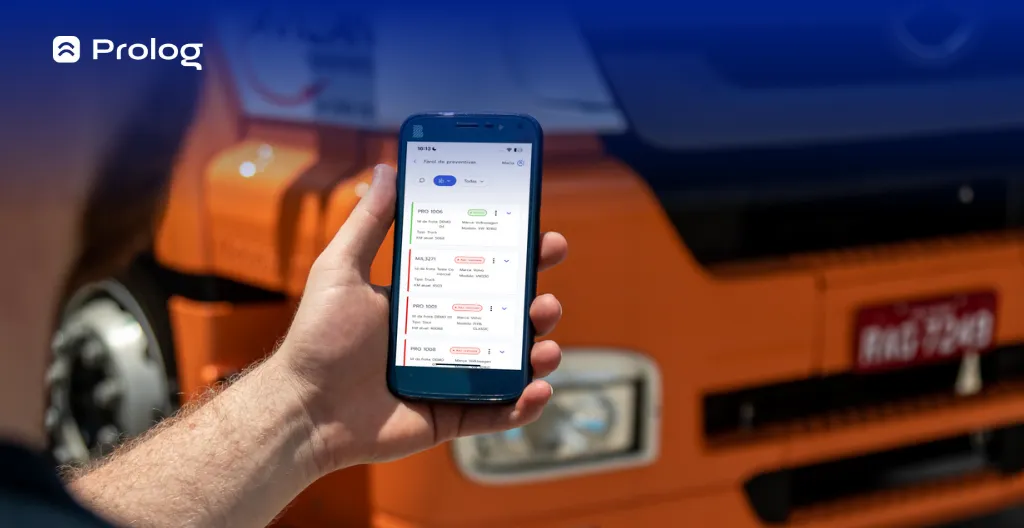
You no longer need to be in the fleet yard to check the operation's progress. With the app installed on a mobile phone or tablet, you can access records, checklists, work orders and reports wherever you are — in the office, on the road or at home. This gives managers more freedom and also reduces the risk of important information going unnoticed.
More strategic focus, less time on operations
Last, but most importantly, managers stop being just “problem solvers” and gain a more strategic view of the operation. The app automates processes, organizes information and reduces the volume of manual tasks. This frees time and energy for managers to analyze indicators, cross-reference data, identify patterns and think about the fleet's future — rather than just how to put out the next fire. Ultimately, this distinguishes those who merely manage from those who truly lead an efficient operation.
What is the best fleet management app?
It depends on your fleet's reality. Joking aside, the answer varies with the operation type, day-to-day challenges and, of course, what you expect from the tool. The best app is not necessarily the most expensive or best known, but the one that easily resolves operational issues and fits your team's routine.
So before choosing, it is worth considering how intuitive the app is, whether it works with processes you already have and whether it offers features that really make a difference — such as customized checklists, detailed tire control and preventive maintenance alerts.
Another important point, as you saw in the previous section, is how much the tool helps move managers out of an operational role. A good fleet management app automates tasks, generates ready-to-use reports and offers views that help make decisions with greater confidence. This frees time to look at the operation as a whole and act more strategically.
Prolog stands out precisely for focusing on what usually causes the most headaches in the fleet routine: tires, maintenance and checklists. These are critical areas that directly affect costs, safety and vehicle availability. By resolving these points efficiently, the app helps managers keep the operation organized and under control.
In addition, user experience matters greatly, and Prolog was designed to be easy to use day to day, even for teams unfamiliar with technology. This means fewer barriers to implementation and greater adoption by drivers, mechanics and managers. All this information is relevant to the next (and best) section. Shall we?
7 reasons to use Prolog's fleet management solutions
In practice, what makes an app truly useful for fleet management? For Prolog, the answer lies in three areas where much of the operation's trouble tends to concentrate: tires, maintenance and checklists. These solutions were and continue to be designed to simplify the routine, reduce costs and avoid unpleasant surprises — without complicating life for those on the front line.
Below, explore the main reasons Prolog is a strategic partner for fleets seeking more control and fewer day-to-day headaches.
1. Goodbye paperwork: digitalize your operation once and for all
Digitalizing your fleet provides countless practical benefits, such as: more organization, less rework, no need to fill spreadsheets manually and always accessible information, without risk of loss. Everything that used to depend on physical forms can be done directly on a mobile phone, safely, quickly and much more efficiently. In addition, sustainability has stopped being a distinguishing strength and become essential. With Prolog, your fleet takes another step in this direction by reducing paper use in checklist, maintenance and data recording routines.
2. A quick view of open WOs and fleet status
No more surprises. With the work order feature, you keep track of everything pending, in progress or already completed. This helps better organize maintenance, prioritize tasks and keep vehicles available when needed. Together with the electronic checklist, you can also check which vehicles had reported issues, which need attention and which work orders were opened from nonconformities — clearly and without guesswork.
3. Complete tire management with an exclusive Inspection Kit
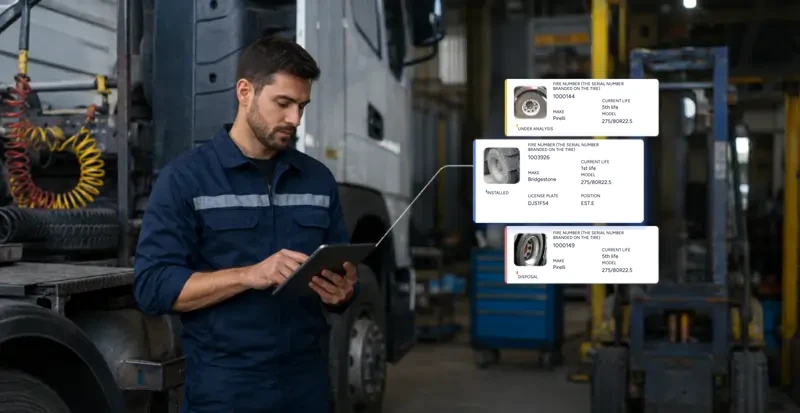
Savings, standardization and recognition for those working in the field. Prolog's Tire Management solution allows you to keep track of wear, calibration, replacements and the entire history of each fleet tire. This avoids waste, improves use of this asset and reduces costs without complicating the process.
And to make everything even more practical, the solution also includes the Inspection Kit: manufactured in-house, Bluetooth connection and inspections in under 1 minute (yes, under 1 minute!). A real incentive to ensure quality records and team engagement, besides moving away from traditional inspection (video in Portuguese).
4. Complete, customized digital checklists
Prolog's Electronic Checklist goes far beyond the basics. It lets you include photos, record items with a higher number of occurrences and customize the checklist itself according to vehicle type or operation type. This makes inspection more complete, safer and adapted to your fleet's reality — besides ensuring a reliable history for audits and decision-making. Not to mention the checklist traffic light, which provides an overview of the condition recorded for each vehicle, indicating whether it is fit for a trip or needs maintenance.
5. Integration with other everyday solutions
If your operation already uses other fleet management apps or solutions, know that you can integrate them with Prolog. Prolog's technology provides integration APIs that allow the solutions' main features to be included in the management system already used in your operation and in major analysis software. Some systems already integrated with Prolog are: Qlik, Praxio, Totvs, Power BI and many more.
6. Practical reports for quick decisions
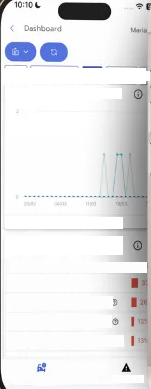
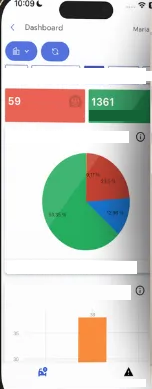
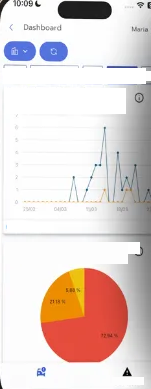
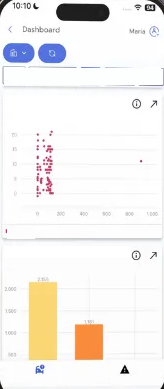
No complex reports that are difficult to interpret. Prolog offers various ready-made, visual and concise templates that help you understand fleet performance, identify bottlenecks and make decisions based on concrete data. Just the right amount of information, without complications.
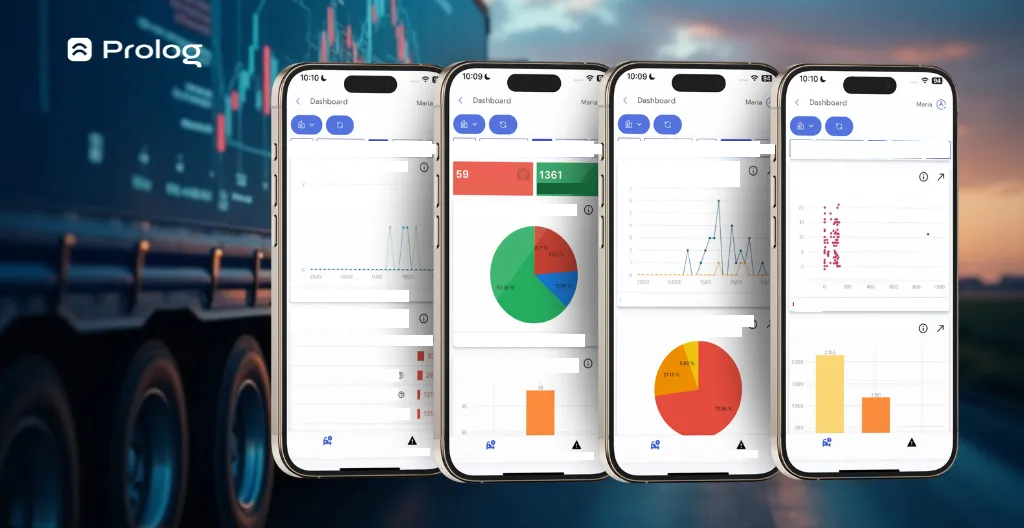
Image of mobile phone mockups with Prolog report screens, illustrating how they work in practice and which data you can keep track of.
1Phone 1
110:10
1Dashboard
1Maria
1All
1Roadside assistance
1Tire
1Checklist
1V…
1Fleet
1Safety
1Number of inspections performed
10, 2
125/02; 04/03; 11/03; 18/03
1Tread depth
1Pressure
1Tread depth/pressure
1Disposal reasons
1Top 15 disposal reasons in the last 30 days
1Disposal reason
1Volum…
1Sidewall cut
1Bead break due to us...
1Uniform localized crack(circumf...
1Running flat or with low pressure
Phone 1 — row 1, volume fragment

Phone 1 — row 1, volume fragment: original pixels from this region; the text sequence has not been verified.
The next phone covers the ending; do not complete it.
Phone 1 — row 2, volume fragment

Phone 1 — row 2, volume fragment: original pixels from this region; the text sequence has not been verified.
The next phone covers the ending; do not complete it.
Phone 1 — row 3, volume fragment

Phone 1 — row 3, volume fragment: original pixels from this region; the text sequence has not been verified.
The next phone covers the ending; do not complete it.
Phone 1 — row 4, volume fragment

Phone 1 — row 4, volume fragment: original pixels from this region; the text sequence has not been verified.
The next phone covers the ending; do not complete it.
2Phone 2
210:09
2Dashboard
2Maria
2All
2Roadside assistance
2Tire
2Checklist
2V…
2Fleet
2Safety
259 tires with incorrect pressure
21361 registered tires
2Number of tires by status
2Analysis
2Disposal
2Installed
2Inventory
2Number of open services by...
230; 35; 38
Phone 2 — four proportions of the tire pie chart
Phone 2 — four proportions of the tire pie chart: original pixels from this region; the text sequence has not been verified.
3Phone 3
310:09
3Dashboard
3Maria
3All
3Roadside assistance
3Tire
3Checklist
3V…
3Fleet
3Safety
3Checklists completed / day
3Split into departure and return in the last 30 days
30, 1, 2, 3, 4, 5, 6, 7
325/02; 04/03; 11/03; 18/03
3Exit
3Return
3Total open work order items
3Split by priority
35,88%; 21,18%; 72,94%
4Phone 4
410:10
494
4Dashboard
4Maria
4All
4Roadside assistance
4Tire
4Checklist
4Vehicle
4Lowest tread depth and pressure for each tire
40, 5, 10, 15, 20
40, 200, 400, 600, 800, 1.000
4Tires
4Average repair time for ser...
4Split by service type in hours
4500; 1.000; 1.500; 2.000
4Fleet
4Safety
Phone 4 — bar 1, top value

Phone 4 — bar 1, top value: original pixels from this region; the text sequence has not been verified.
Phone 4 — bar 2, top value

Phone 4 — bar 2, top value: original pixels from this region; the text sequence has not been verified.
1
10:10DashboardMariaAllRoadside assistanceTireChecklistV…FleetSafetyNumber of inspections performed0, 225/02; 04/03; 11/03; 18/03Tread depthPressureTread depth/pressureDisposal reasonsTop 15 disposal reasons in the last 30 daysDisposal reasonVolum…Sidewall cutBead break due to us...Uniform localized crack(circumf...Running flat or with low pressurePhone 1Text 26Text 27Text 28Text 292
10:09DashboardMariaAllRoadside assistanceTireChecklistV…FleetSafety59 tires with incorrect pressure1361 registered tiresNumber of tires by statusAnalysisDisposalInstalledInventoryNumber of open services by...30; 35; 38Phone 2Text 213
10:09DashboardMariaAllRoadside assistanceTireChecklistV…FleetSafetyChecklists completed / daySplit into departure and return in the last 30 days0, 1, 2, 3, 4, 5, 6, 725/02; 04/03; 11/03; 18/03ExitReturnTotal open work order itemsSplit by priority5,88%; 21,18%; 72,94%Phone 34
10:1094DashboardMariaAllRoadside assistanceTireChecklistVehicleLowest tread depth and pressure for each tire0, 5, 10, 15, 200, 200, 400, 600, 800, 1.000TiresAverage repair time for ser...Split by service type in hours500; 1.000; 1.500; 2.000FleetSafetyPhone 4Text 20Text 217. Data always accessible, from anywhere
All information is saved, with quick, secure access from any device, whether Android or iOS. This means you can consult operational records whenever you need, whether in the yard, on the road or in the office. In addition, your team will never again depend on outdated spreadsheets or hunt through paperwork for maintenance history or an old checklist.
Bonus: more time to focus on strategy
As discussed in the previous section, the most important thing is that managers have enough time to focus on what really matters: the operation's future. With organized processes, automated tasks and clear data in front of you, this becomes possible, don't you think?
Prolog helps you move out of reactive mode and take a more strategic approach, seeking continuous improvement, cost reduction and sustainable fleet growth.
And if you have made it this far, you can already see that fleet management does not have to mean rushing around, paperwork and decisions in the dark (as you saw at the start of the introduction). With the right solutions — applied the right way — you can transform the operation's routine and gain breathing room to think beyond day-to-day work.
Prolog does not deliver technology alone. It delivers clarity, agility and control where it matters most: tires, maintenance and checklist. All with a simple, accessible experience ready for your fleet's reality.
Now that you understand the main reasons to use a fleet management app, the next step is to see it working in practice.
Click here and schedule a demonstration with a specialist. We will show you how the right technology can be the turning point your operation needs.
Frequently asked questions
What is a fleet management app for?
How do you get value from the app after implementation?
What results can the app bring to tire costs?
Does the electronic checklist replace the paper form?
Does the app connect with the systems I already use?
What is the best fleet management app?
// newsletter
Fleet management content, straight to your inbox
Articles on tires, maintenance and fleet operations. No spam.